
Our marketing team works on a wide range of projects, and we plan everything in vPlan. We use multiple planning boards: a content calendar, an overview for daily to-dos, and a long-term roadmap for our strategic marketing goals.
Content Planning in vPlan
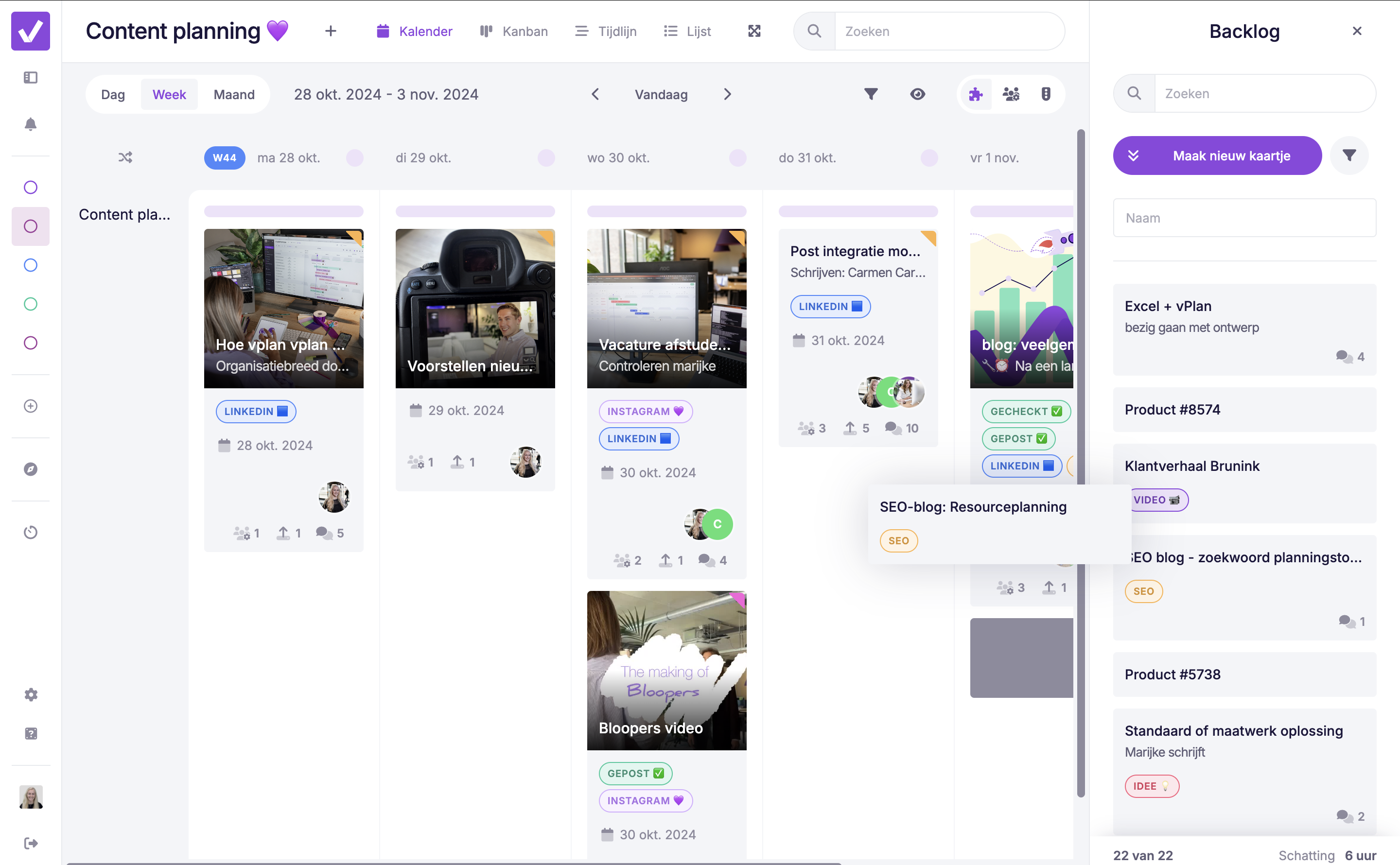
It’s essential for us to stay visible and provide our (potential) customers with the right information. Our content is created for various channels and then scheduled and published in vPlan. We use the calendar view in vPlan for our content planning. This gives us a clear overview of publication dates and channels for all our content, helping us stay organised and efficient.

All our channel content is scheduled well in advance. We always plan two months ahead, giving us plenty of time to create and prepare content. Every new idea starts as a task in our backlog, where we collect all our content ideas before scheduling them.
Content Briefing in a Card
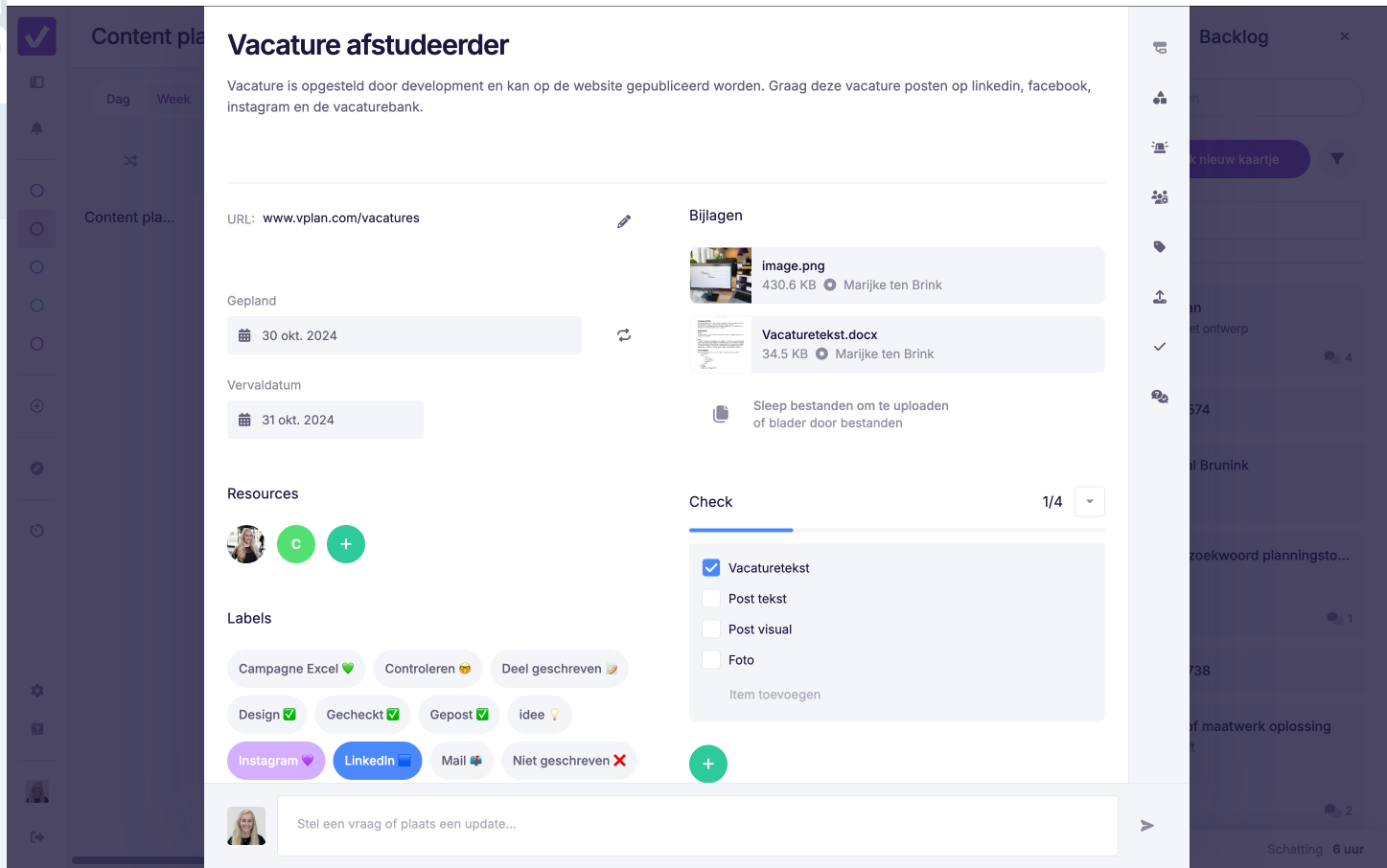
Once an idea is confirmed, we drag the task to the schedule and complete the card with all necessary details: description, labels, deadlines, and any custom fields. The responsible marketer is then assigned to the card.
Content is often more than just text. Think of visual elements that we can easily upload as attachments in the card, keeping everything neatly organised in one place.
Efficient Collaboration in vPlan
Within each card, our team can communicate easily. Colleagues can leave quick comments and mention each other with @, so no one misses anything. We work with different statuses, such as ‘open’, ‘in progress’, ‘review’, ‘ready for publication’, and ‘published’. This allows us to see exactly how far along a task is.
Viewing the Content Plan from Different Angles
Our content calendar can be viewed in multiple ways. In addition to the calendar view, we often use the list view. This offers flexibility to enable or disable columns, so we can quickly see the status by month or by person.
Our To-Dos in Kanban View
Who doesn’t know the feeling? Lists, post-its, and notes piling up, or a colleague asking you to “quickly” write a text. To keep these ad-hoc tasks manageable, we use the Kanban view in vPlan. Here, we gather all our daily to-dos and parts of larger projects. This makes it easy to keep track of all pending tasks, so nothing slips through the cracks.
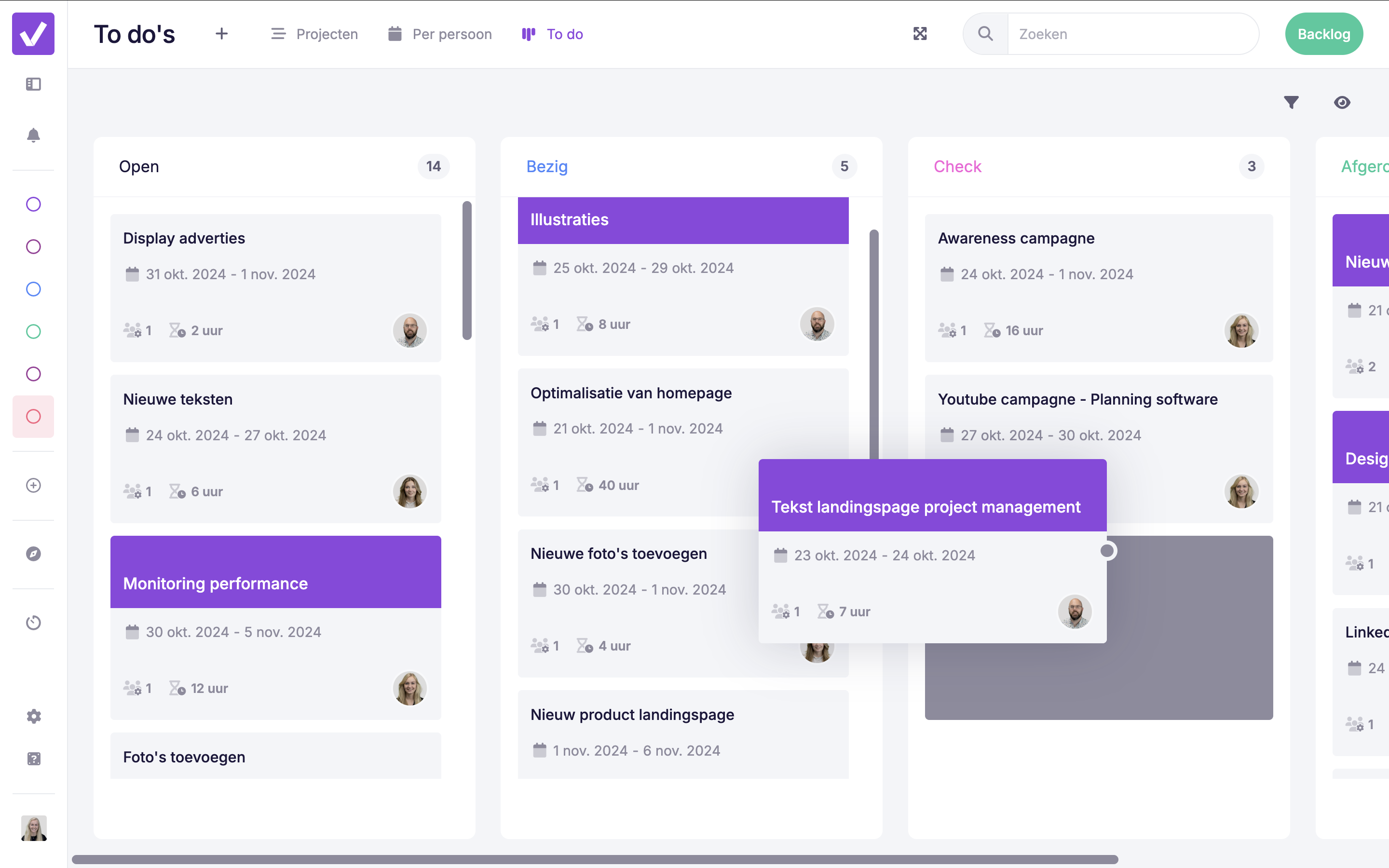
Thanks to filters, we know exactly which tasks are still open, both for ourselves and for our colleagues. By filtering, we only see the information that’s relevant to us, which provides a clear and efficient overview of the work at hand.

Looking Ahead: Our Roadmap
In addition to daily tasks, the bigger picture is also important. Based on our marketing strategy, we create a roadmap where projects and campaigns for the coming year are laid out. We do this in the timeline view in vPlan. Each project includes sub-cards, allowing us to schedule sub-tasks and maintain oversight.
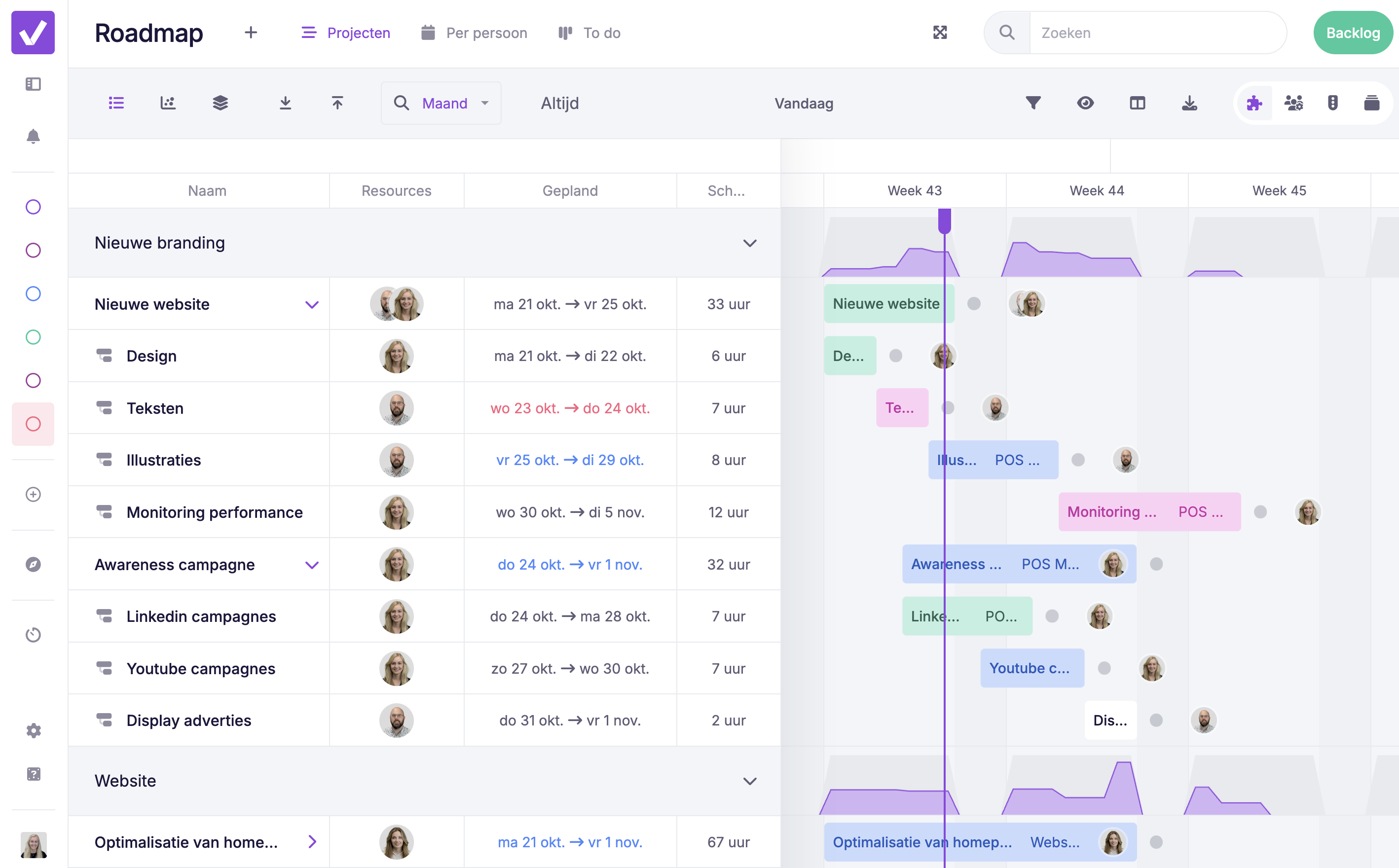
And this is how we plan our content – including this blog! Our team gets great satisfaction from ticking off tasks, and new features not only support our customers but also benefit our own departments.

Work at vPlan
We are looking for new colleagues.