



An efficient project plan is the cornerstone for successfully completing projects, regardless of their size or complexity. In this blog, we'll guide you on how to establish efficient project planning.
In this article:
- What is project planning?
- What are the benefits of good project planning?
- How do you create your project plan?
- How does project planning software work?
- Why companies choose vPlan
- How to set up your project plan in vPlan
What is project planning?
A project plan is a detailed overview of all tasks that need to be completed to successfully finish a project. It includes various elements such as the objective, scope, tasks, and resources. The aim is to optimally utilize capacity and complete the project within the set time frame and budget. The plan should provide structure and clarity, offering insight into deadlines, expectations, and capacity.
What are the benefits of good project planning?
You don't create a project plan without reason. When done effectively, a project plan will deliver the following:
- Overview and Insight into Projects
First and foremost, a good project plan provides clarity and overview to all teams. It offers straightforward insight into the progress and duration of projects. - Control Over Capacity
By establishing the project plan based on available capacity, you know exactly who has space and who doesn't. This enables realistic planning and effective workload distribution. Additionally, you'll know precisely whether there's enough capacity to take on a new assignment. - Meeting Deadlines
Feasible deadlines are set and always visible. In case of any setbacks, potential risks to meeting deadlines can be identified in a timely manner. By closely monitoring this, deadlines are met more efficiently. - Improved Communication
Everyone is constantly informed about progress, changes, and any issues. This increases involvement and eliminates miscommunication. - Project Realisation According to Plan and Budget
A good project plan ensures that you don't encounter surprises during the project. This is because much is documented upfront, such as scope, objectives, and preliminary cost estimates.
In short, a clear project plan leads to higher productivity in the workplace. Employees are well-informed and feel engaged, ultimately resulting in satisfaction for everyone involved.
How do you create a project plan?
There are various methods for planning projects. Some examples include: a bar chart, Gantt charts, Agile, Scrum, and Kanban. Regardless of the method you choose, in most cases, you'll go through the following steps:
- Define Your Projects and Tasks:
Define your project and break it down into logical steps. Describe the specific actions and tasks for each project. Our tip: draw out the process to make it visual. - Estimate the Duration of Each Task:
Estimate how long each task will take. This can be based on experience, expert input, or similar projects from the past. - Determine Task Dependencies:
Are there factors that could potentially cause delays? Are there tasks that depend on each other? To accommodate any delays, it's important to add buffer times to your project plan. - Evaluate Your Employees' Capacity:
Add team members to the plan and determine the division of roles and responsibilities. Include their available hours. This way, you can easily determine the total capacity you have for executing your projects. - Identify Necessary Resources:
Estimate the resources you'll need to execute the projects. Determine how much capacity you need, what materials are required, and what budget is needed for this. - Schedule the Projects with Associated Activities:
Set the start and end dates for each project activity and add deadlines. Ensure the schedule is realistic and takes into account resource availability and team capacities. - Monitor and Update the Plan:
A project plan is not a static document. Monitor the progress of the project and update the plan as needed to reflect changes, delays, or new insights.
How does project planning software work?
There are several tools available for digital project planning. Small businesses or freelancers often use Excel for planning their projects. The advantage of Excel is that it's free and relatively easy to use.
However, when there are many projects to be planned, Excel may fall short. With numerous projects, the overview and flexibility diminish, and there's a higher chance of manual errors in the planning. In such cases, businesses often look towards a software solution like vPlan. vPlan offers various features for creating and managing project plans.
Why companies choose vPlan
Many companies plan their projects using vPlan's visual planning tool. With vPlan, you can fully customize your project plans according to your preferences. With vPlan, you get:
- Visual overview of your projects;
- Insight into all deadlines;
- Control over capacity;
- One tool for communication, collaboration, and project documentation;
- Total overview of all ongoing projects;
- The ability to easily register and analyze worked hours.
How to set up your project plan in vPlan
Whether you want to plan your creative projects, construction projects, or general projects, there are numerous ways in which you can structure your project planning in vPlan. Depending entirely on your own project structures, you visualize the planning. This allows you to easily view all tasks at the project level, see all projects per employee, or get a complete overview of all ongoing projects. In the video below, we briefly demonstrate how you can create a project plan with vPlan.
🗂️ Complete project file
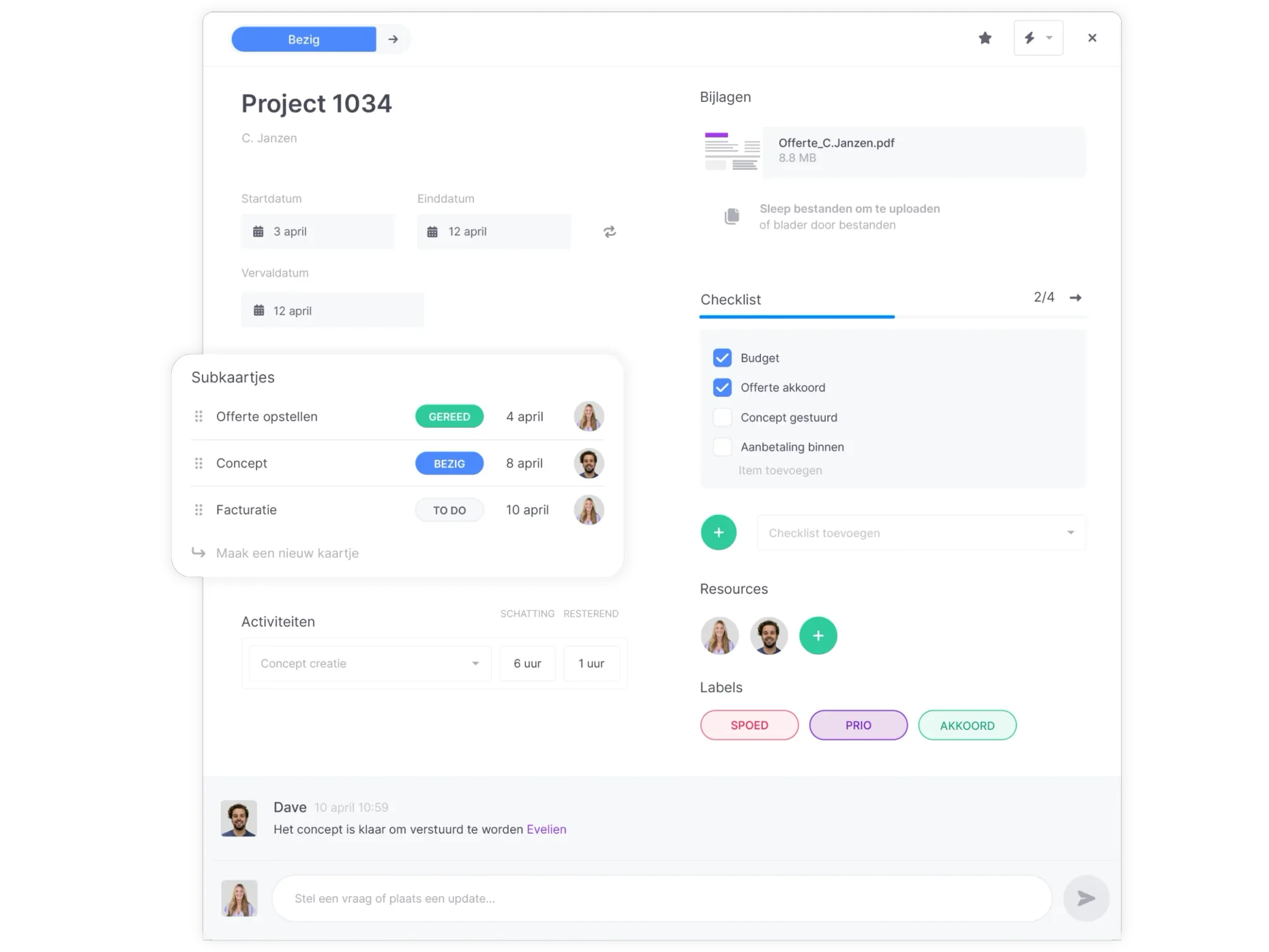
Your project, also known as a (plan) card in vPlan, is created in vPlan or retrieved from your ERP system. Add all relevant project information to it. From project number, preliminary cost estimates, customer details, checklists, deadlines, and attachments. Once the card is complete, it can be planned.
✅ Determine your project overview
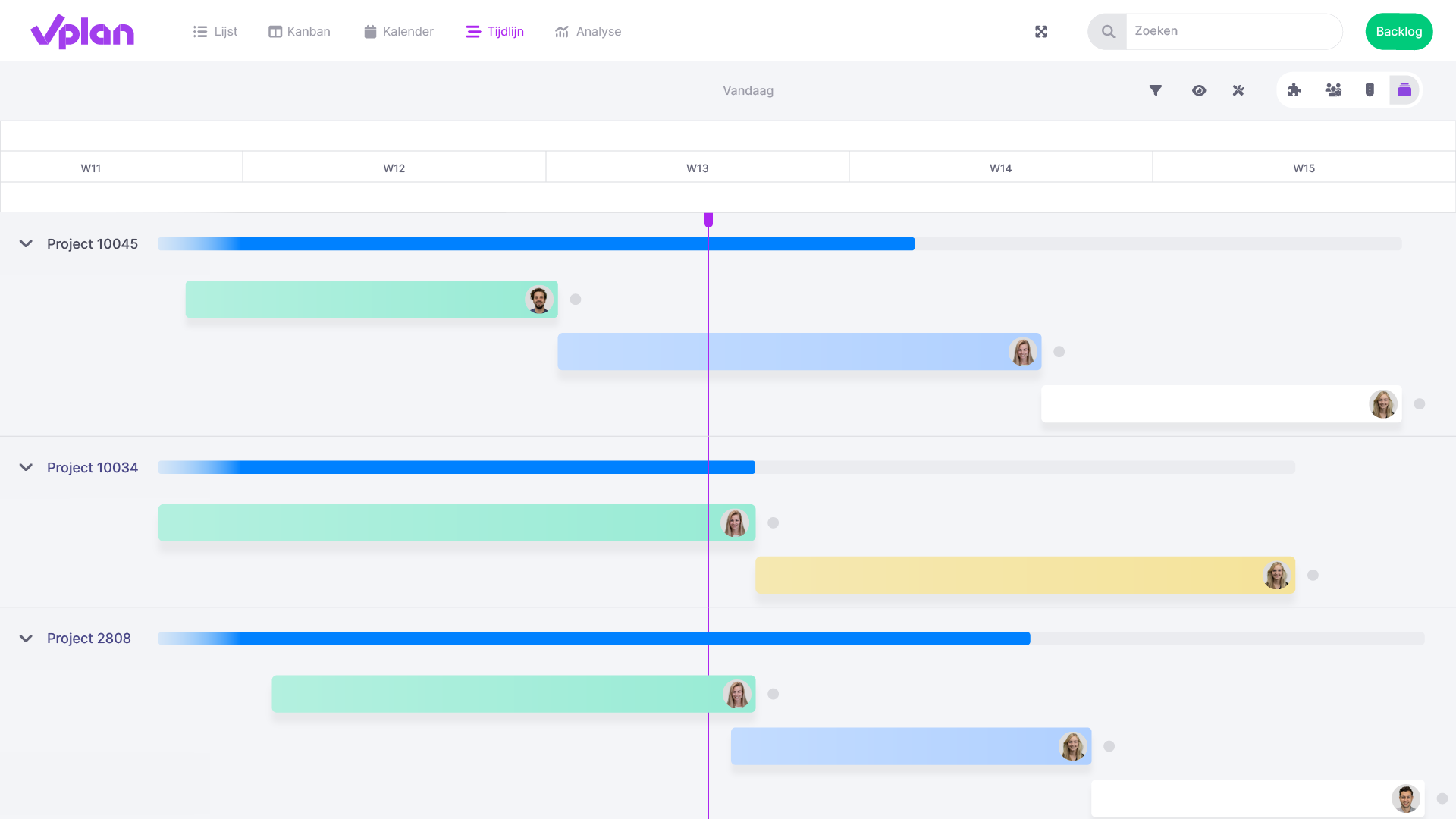
View the schedule the way you want it. Visualize your schedule with our list, calendar, timeline, or Kanban view. Easily see the schedule in the long or short term and switch views effortlessly.
TIP: Monitor the progress of multiple projects within a single planning board.
You can create a planning board for each project individually or plan all projects in one planning board. We advise our customers to opt for one clear planning board for all projects. This way, you can easily monitor the progress of all projects simultaneously and gain insight into your total capacity. If you only want to view the information for a specific project, you can still filter or search within a planning board for that specific project and see the desired result.
✅ Planning and completing projects
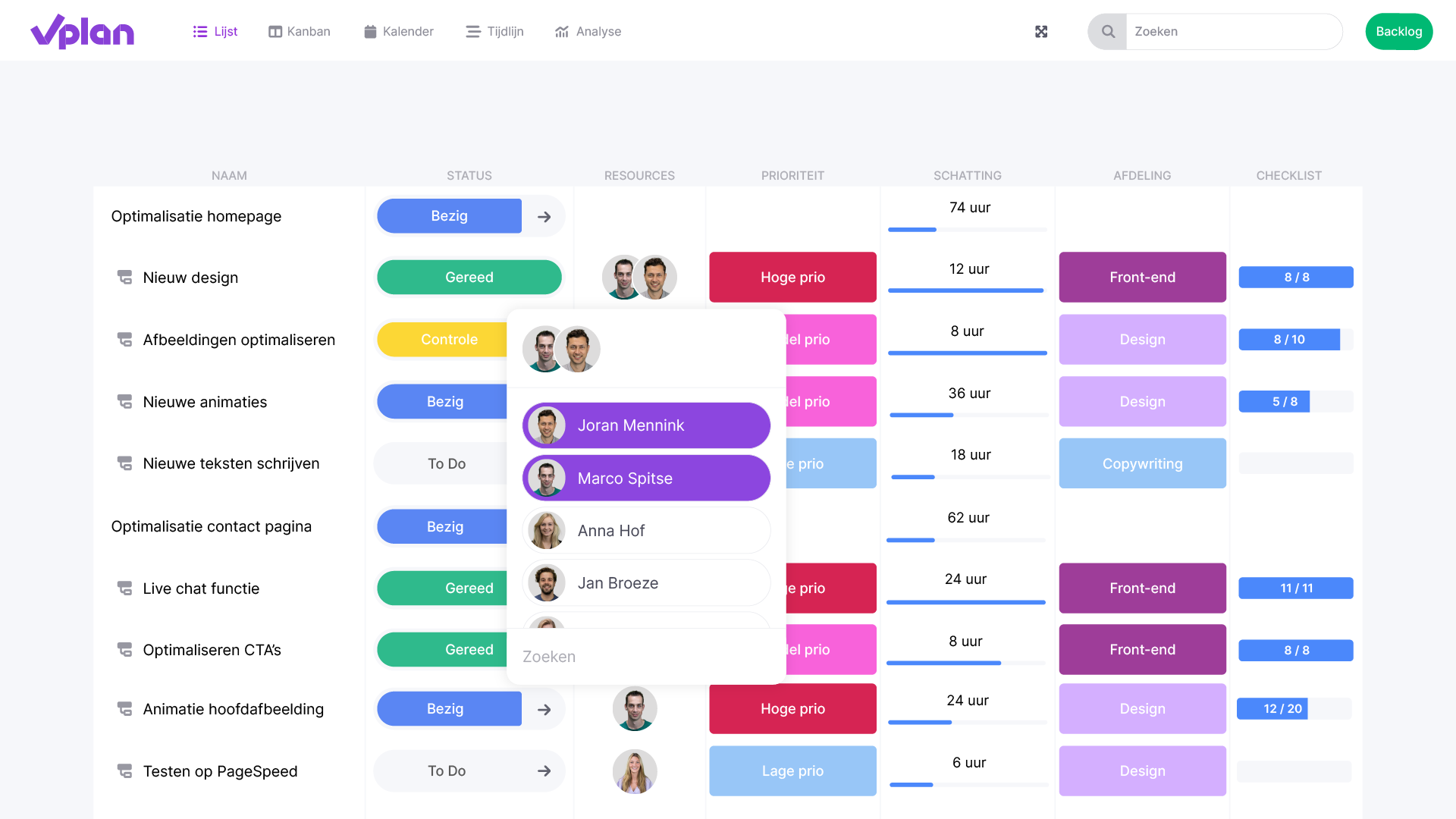
A plan is nothing without execution. With vPlan, you give your team the ability to quickly and easily handle orders. They can track statuses, record important information, log time, and communicate. This way, the entire project team gains insight into progress and everyone stays informed.
Would you like to learn more or see it in action? Try vPlan for free. Make the switch to vPlan and discover how easy it is to plan projects yourself!

Work at vPlan
We are looking for new colleagues.


