


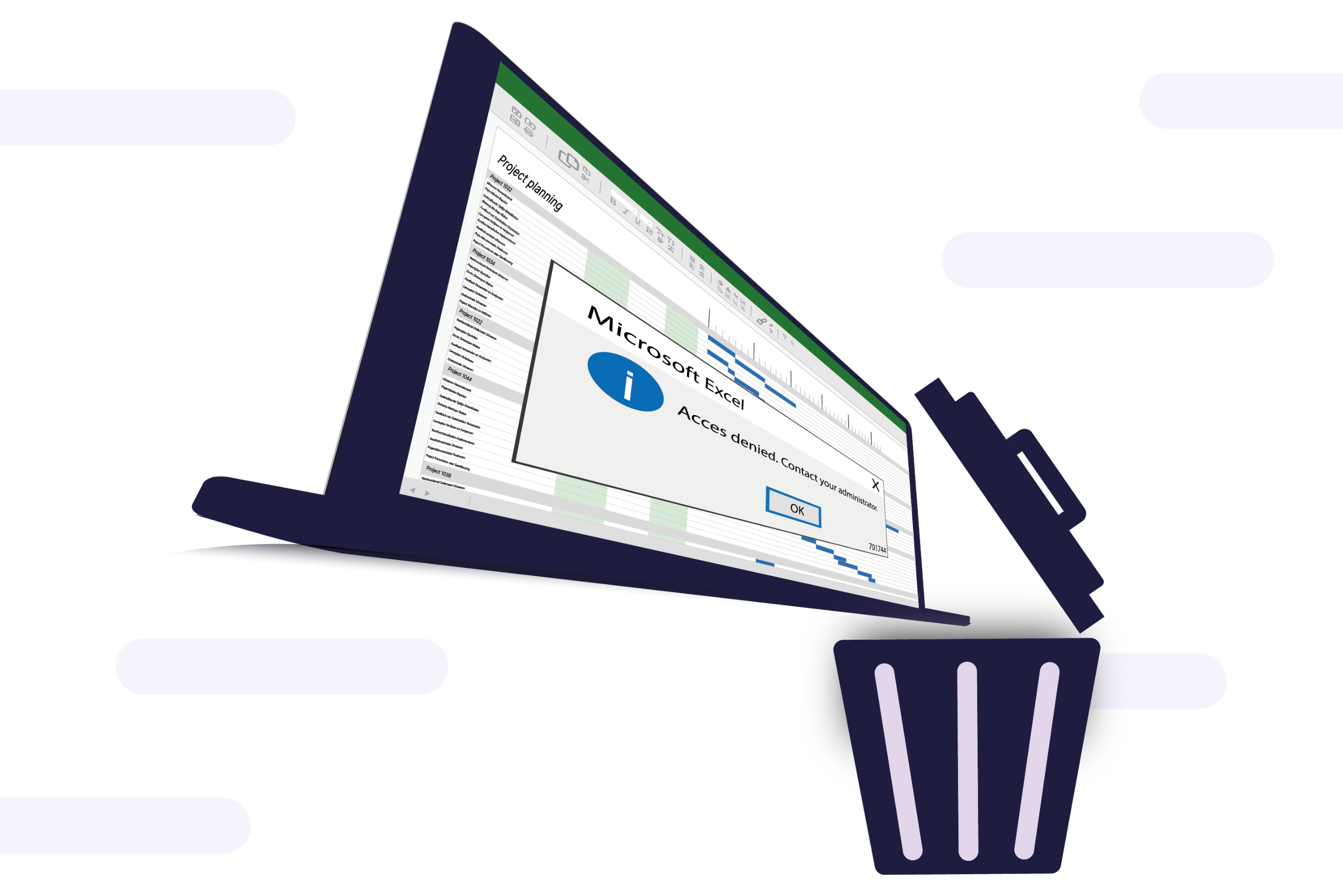
1. Lack of clarity and collaboration
One of the biggest problems with creating a planning in Excel is the lack of clarity, especially when working with a large team. A simple Excel file can work well for one person, but it becomes more difficult when collaborating with multiple team members.
One of the biggest issues with creating a planning in Excel is the lack of clarity, especially when working with a large team. A simple Excel file might work well for one person, but it becomes much more challenging when collaborating with multiple team members.
vPlan is an online application that ensures everyone is always looking at the same planning, so different versions are never an issue. Additionally, you can add descriptions, attachments, comments, and much more information to your tasks. This way, you won’t miss anything and are always up to date.
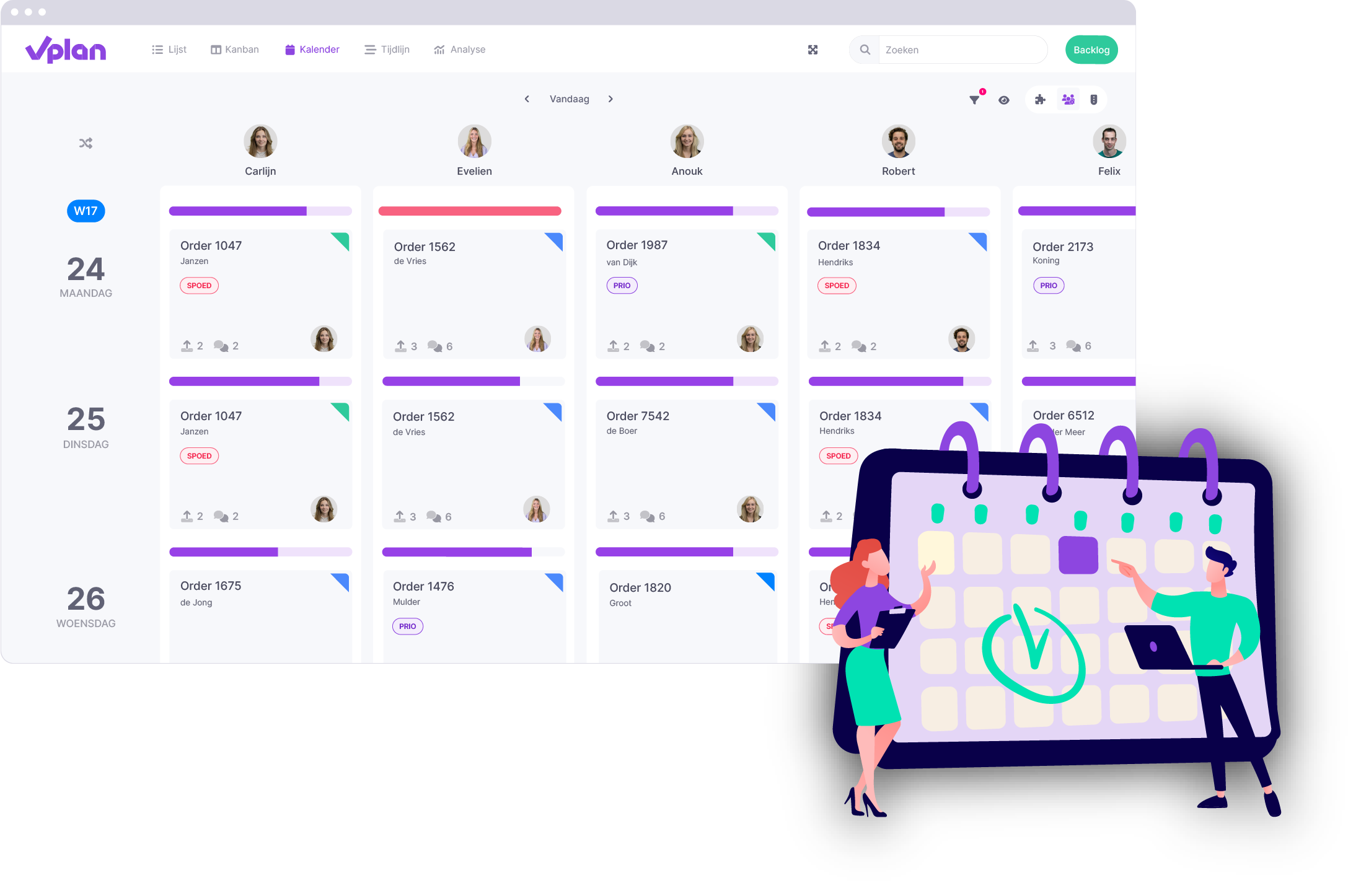
2. Excel is error-prone and not real-time
Manually entering data in Excel makes it highly error-prone. A single incorrect formula or data entry mistake can throw off your entire planning. When creating a planning in Excel, you constantly have to check if everything is correct.
With an online tool, you don’t have to worry about formula errors, and you won’t miss any important information.
3. Limited automation in Excel
Although Excel offers some automation features, such as formulas and macros, it remains a manual process. Setting up a dynamic and automated planning is complex and time-consuming. Moreover, you often have to track approaching deadlines and make adjustments manually.
In vPlan, setting up automations is easy. For example, you receive notifications when deadlines are approaching, and tasks are automatically assigned to the right team members. This saves time and reduces the chance of errors.
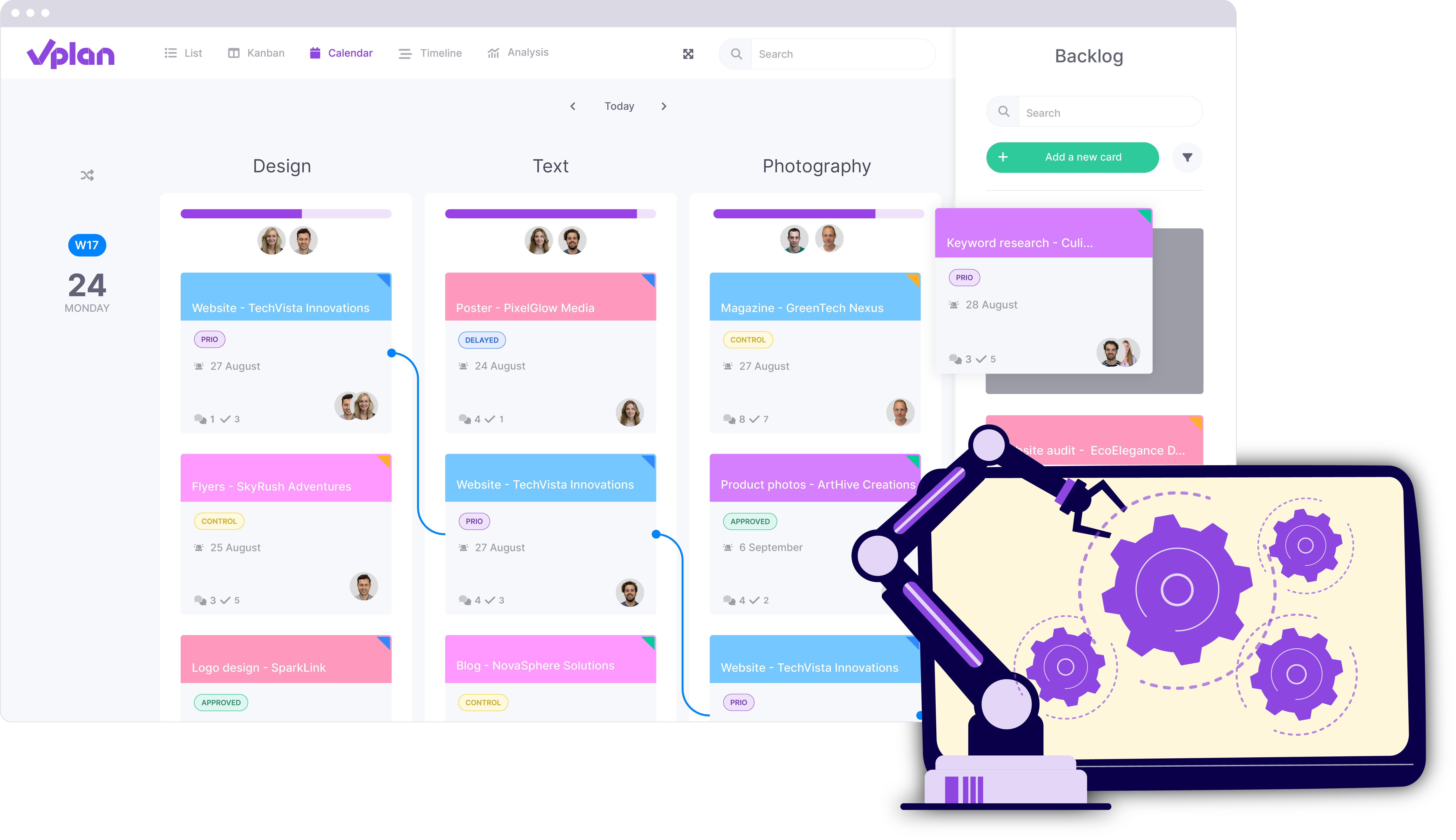
4. Poor scalability
Creating a spreadsheet works fine when you're working with a small team. But as your company grows, it becomes increasingly difficult to keep your Excel planning up to date. It quickly becomes unclear and complex, and managing large amounts of data or planning multiple projects at once becomes a challenge.
Planning software is designed to grow with you. Regardless of the size of your team or the number of projects you're managing, the software helps you maintain an overview.
5. Limited visualization options
Although Excel can create charts, it offers limited visual support for creating planning. A planning overview in Excel is often nothing more than a table or a simple Gantt chart. This makes it difficult to quickly spot bottlenecks or upcoming deadlines.
6. No integration with other systems
Another major disadvantage of an Excel planning is that it doesn’t integrate well with other software. This means you have to manually enter and transfer information between systems. This is time-consuming and can lead to errors.
Software like vPlan can integrate with other tools such as your ERP system or accounting software. This ensures that your planning is automatically updated without the need to manually transfer data.
7. Limited time tracking
Creating a planning in Excel unfortunately doesn't offer built-in functionality for time tracking. This makes it difficult to accurately track how much time is actually spent on a task or project. Hours must be manually recorded and entered later, which is not only cumbersome but can also waste valuable time.
In vPlan, you can track your time directly within your planning. This way, you can see exactly how much time you spend on a task. It helps you gain better insight into your workflows and plan more efficiently.
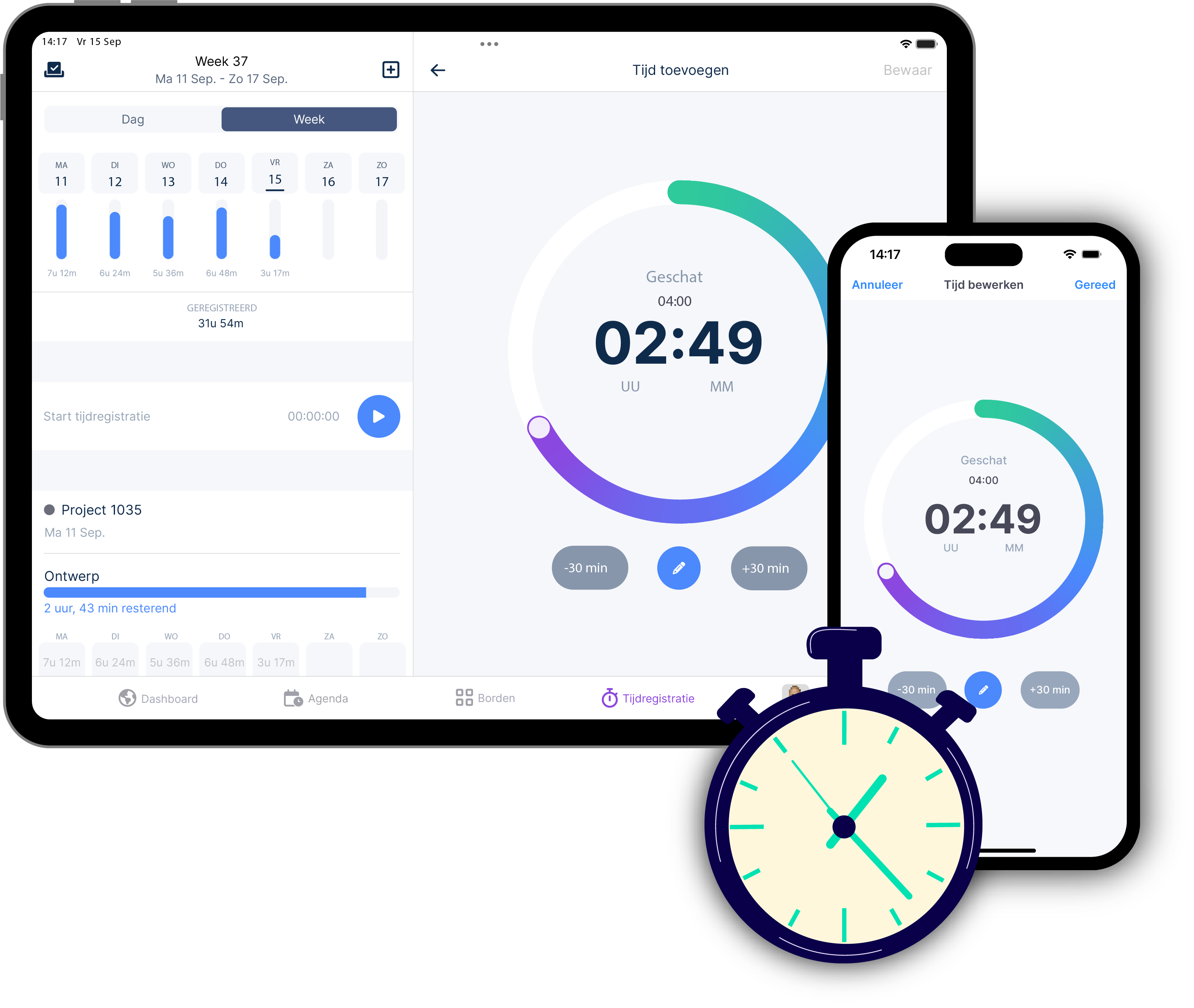
8. Tied to a laptop or desktop
Excel doesn’t provide easy access across different devices. This is particularly challenging for teams that are often on the go or working outside the office. You’re typically tied to a desktop or laptop, and manually updating a planning on a mobile phone is cumbersome.
In contrast, vPlan can be used on various devices. This means you can access your planning from anywhere, whether you’re in the office, on the go, or on the job site.
9. Lack of security and access management
Another significant drawback of using Excel for planning is the limited security and access control. Excel files are often shared via email or cloud storage, making them vulnerable to data breaches or unauthorized access.
With vPlan, you have advanced security options and access management. You can precisely control who can view and edit what, ensuring that sensitive information remains protected. Additionally, vPlan securely stores your data, keeping your planning safe and up-to-date.
10. Access to support and assistance
Where Excel often lacks specific support for complex planning and collaboration needs, dedicated planning tools usually offer a comprehensive online help center and support. This way, you're never on your own!
Plan smarter, not harder!
While many companies still rely on Excel for planning, it’s not the best solution. With tools like vPlan, you can automate your planning, maintain an overview, and collaborate easily with your team.
Curious how vPlan can improve your planning? Try vPlan today and discover how easy it is to optimize your planning overview!
Frequently asked questions
What are the biggest disadvantages of planning with Excel?
Planning with Excel seems convenient at first, but it has clear limitations once your planning becomes more complex. The biggest drawback is that Excel is not designed as planning software. As a result, errors in formulas quickly arise, real-time insight is lacking, and collaboration becomes difficult. Version control is also a well-known issue: multiple files or overwrites cause confusion. As your team grows or planning changes, it takes increasingly more time to keep everything up to date manually. This makes Excel particularly inefficient in the long term.
Is planning with Excel suitable for larger teams?
In practice, planning with Excel works less well for larger teams. As soon as multiple people are working in a plan at the same time, the risk of errors and miscommunication increases. In addition, there is no central and real-time overview, meaning team members are not always working with the same information. For smaller teams, Excel may still suffice, but as you grow it quickly becomes unclear and inefficient. A specialised planning tool then offers much more control and clarity.
When do you run into issues with planning in Excel?
You usually run into issues with planning in Excel as soon as your planning becomes more dynamic. Think of situations where tasks change frequently, multiple people are involved, or deadlines shift. Excel also falls short when you need insight into capacity or employee availability. The file becomes increasingly complex, while overall clarity decreases. This is often the point at which companies start looking for an alternative.
Why is Excel prone to errors for planning?
Excel is prone to errors because many processes are done manually. One incorrect formula, a shifted cell, or a forgotten update can have major consequences for your planning. In addition, there is often no control mechanism that automatically detects errors. Especially in larger plans with many dependencies, the risk of mistakes increases quickly. This can lead to miscommunication, delays, and inefficiency within teams.
What is a good alternative to planning with Excel?
A good alternative to planning with Excel is a specialised planning tool such as vPlan. Instead of working manually in spreadsheets, you get a visual and real-time overview of your planning. Tasks, resources, and progress are tracked automatically, allowing you to make fewer errors and respond more quickly. In addition, collaboration is much easier, as everyone works with the same up-to-date information.
What is the difference between planning with Excel and a planning tool?
The biggest difference lies in automation and overview. When planning with Excel, you have to set up and maintain everything yourself, whereas a planning tool largely automates this. Think of real-time updates, visual planning, resource management, and collaboration. Excel is flexible, but lacks structure and scalability. A planning tool, on the other hand, is specifically designed to make complex planning simple and clear.
Why do companies switch from Excel to planning software?
Companies switch because Excel eventually no longer scales with their needs. What starts as a simple solution quickly turns into a complex and error-prone system. By switching to planning software, teams save time, reduce errors, and gain better insight into their processes. This ultimately leads to more efficient working and better results.
Is planning with Excel still up to date?
Excel is still widely used, but there are now much better solutions available for planning. Modern planning tools offer functionalities that Excel simply does not have, such as real-time collaboration, visual dashboards, and automatic updates. For simple applications, Excel can still work well, but for serious planning, more and more companies are choosing specialised software.

Work at vPlan
We are looking for new colleagues.


