



What is a workflow?
A workflow is a fixed sequence of steps to perform a task correctly. Each step is linked to an action, person, or system. This structured approach provides clarity, overview, and consistency. By documenting workflows, teams can collaborate more effectively and reduce the number of errors.
Examples of common workflows:
- Processing a customer order
- Onboarding a new employee
- Approving an invoice
- Performing quality checks
In short, a workflow is the path a task follows within your organization—from start to finish.
Why is a workflow important?
A good workflow ensures that tasks run smoothly and nothing is overlooked. Without a clear structure, mistakes can happen, work gets delayed, or tasks are duplicated. This can be frustrating, lead to miscommunication within teams, and cause project delays.
With a strong workflow, you benefit from:
- Fewer errors – Clear processes prevent tasks from being missed or duplicated.
- Better overview – Everyone knows what needs to be done and who is responsible.
- Increased efficiency – Less time wasted on follow-ups and repeating tasks.
- Improved collaboration – Team members can easily take over tasks and know when to act.
- Higher customer satisfaction – Streamlined processes lead to faster and better service.
- Scalability – A streamlined workflow reduces dependency on individuals and prepares your business for growth.
By setting up an effective workflow, you're not working harder — you're working smarter.
Digital workflow management: working smarter with software
With digital workflow management, you no longer manage processes manually. Instead, you use software that helps automate your workflows. Tasks are routed automatically, notifications are triggered, and processes are monitored in real time.
Benefits of digital workflow management:
- Less manual work
- Automatic reminders
- Visual insight into tasks and progress
- Faster turnaround times
- Fewer mistakes or missed steps
- Better collaboration between teams and departments
vPlan is a platform where you can create visual workflows and manage your processes in one place.
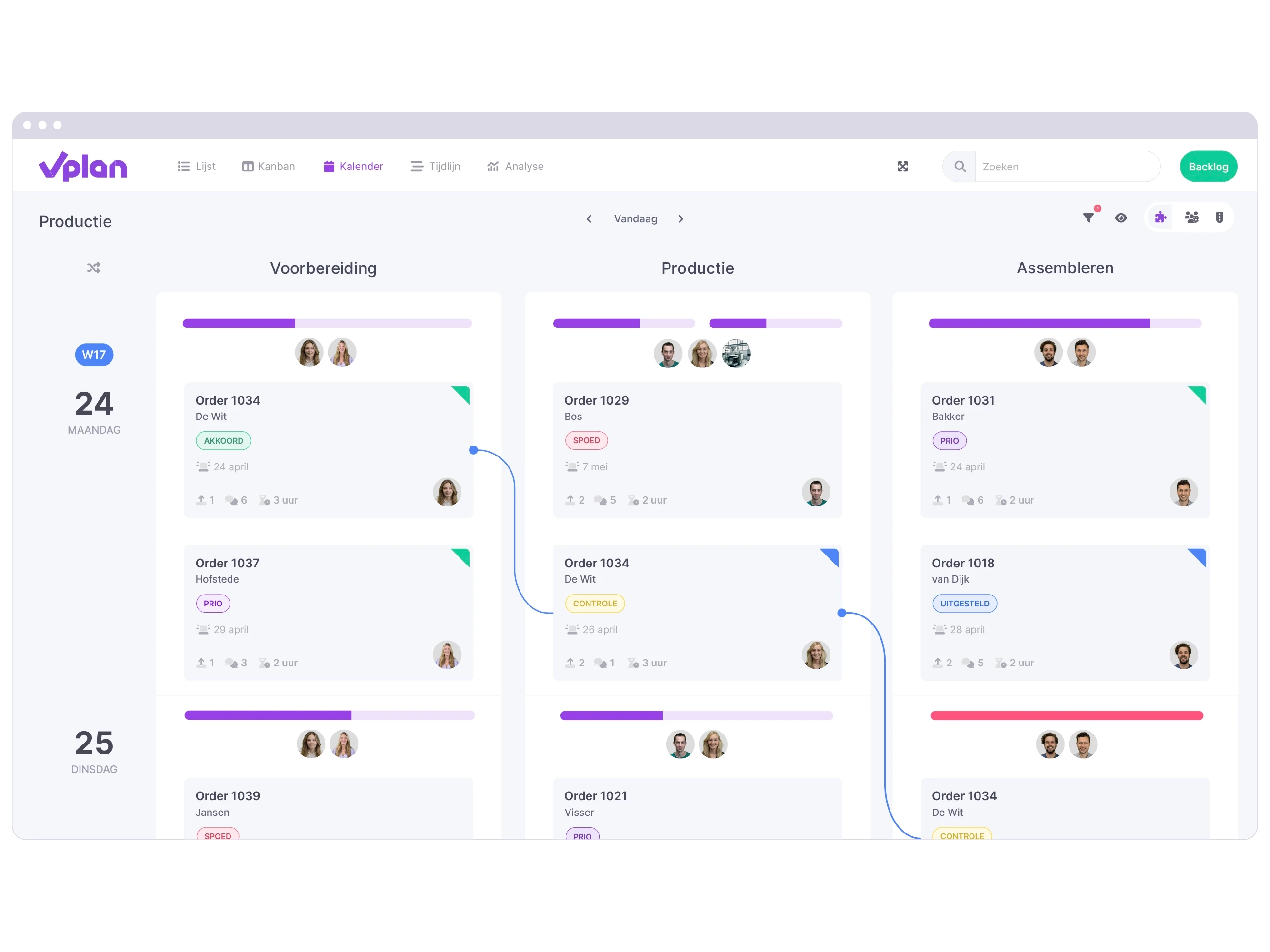
An extra advantage: vPlan easily integrates with other tools, such as your ERP system. All your information flows together automatically — no double data entry, just time savings.
How does workflow management work in practice?
Let’s take a practical example: the expense claim process.
Without workflow management:
- Employee emails claim to manager
- Manager forgets to approve
- Finance misses the claim
- Claim is delayed or paid out twice
With digital workflow management:
- Employee submits claim via a form
- Manager receives an automatic approval notification
- Once approved, the task goes to Finance
- Employee automatically receives a confirmation after payment
Another example: customer order processing
- Order is automatically logged from webshop or CRM
- Warehouse instantly receives a picking list
- Shipping label is generated
- Invoice is prepared in the accounting system
- Customer receives tracking info and invoice
With a streamlined structure, everything flows in the right order—automatically.
Workflow management is also widely used in project management. From brainstorming to delivery, teams follow a fixed structure with clear tasks and approval stages. This keeps everyone aligned and involved, avoids delays, and makes responsibilities crystal clea
Workflow optimization: make your processes smarter
Workflow optimization means improving existing workflows. By regularly analyzing and refining them, you increase efficiency and eliminate bottlenecks.
How to optimize a workflow:
- Map your current process
- Identify delays or errors
- Remove unnecessary steps
- Automate manual actions
- Integrate systems (e.g., planning + invoicing)
- Set clear KPIs to measure performance
Tip: Use dashboards and reports in your workflow tool to make bottlenecks visible.
Also, listen to feedback from your team: Where’s the frustration? Where do misunderstandings arise? These insights are gold for improving your work structure.
Use data and feedback
Use data to measure how effective your workflows really are. How long does a task take on average? Where do delays occur? By making processes measurable, you can continuously improve them.
Continuous improvement is key
Regularly evaluate your workflows to stay efficient and quickly adapt to change.
Getting started with workflow management
Want to structure and automate processes in your organization? Start small and scale up gradually.
- Choose a process that often goes wrong or takes up a lot of time
- Map all steps, roles, and dependencies
- Build the process in a visual tool like vPlan
- Test it with one team or department
- Roll it out across the organization
- Evaluate and optimize regularly
Use templates or standard processes to speed things up. And remember: communication is key. Make sure everyone knows what the workflow is and why it works.
Work with clear instructions, guidelines, and task assignments. Don’t forget to celebrate wins when improvements have a positive impact. This motivates teams to structure even more processes.
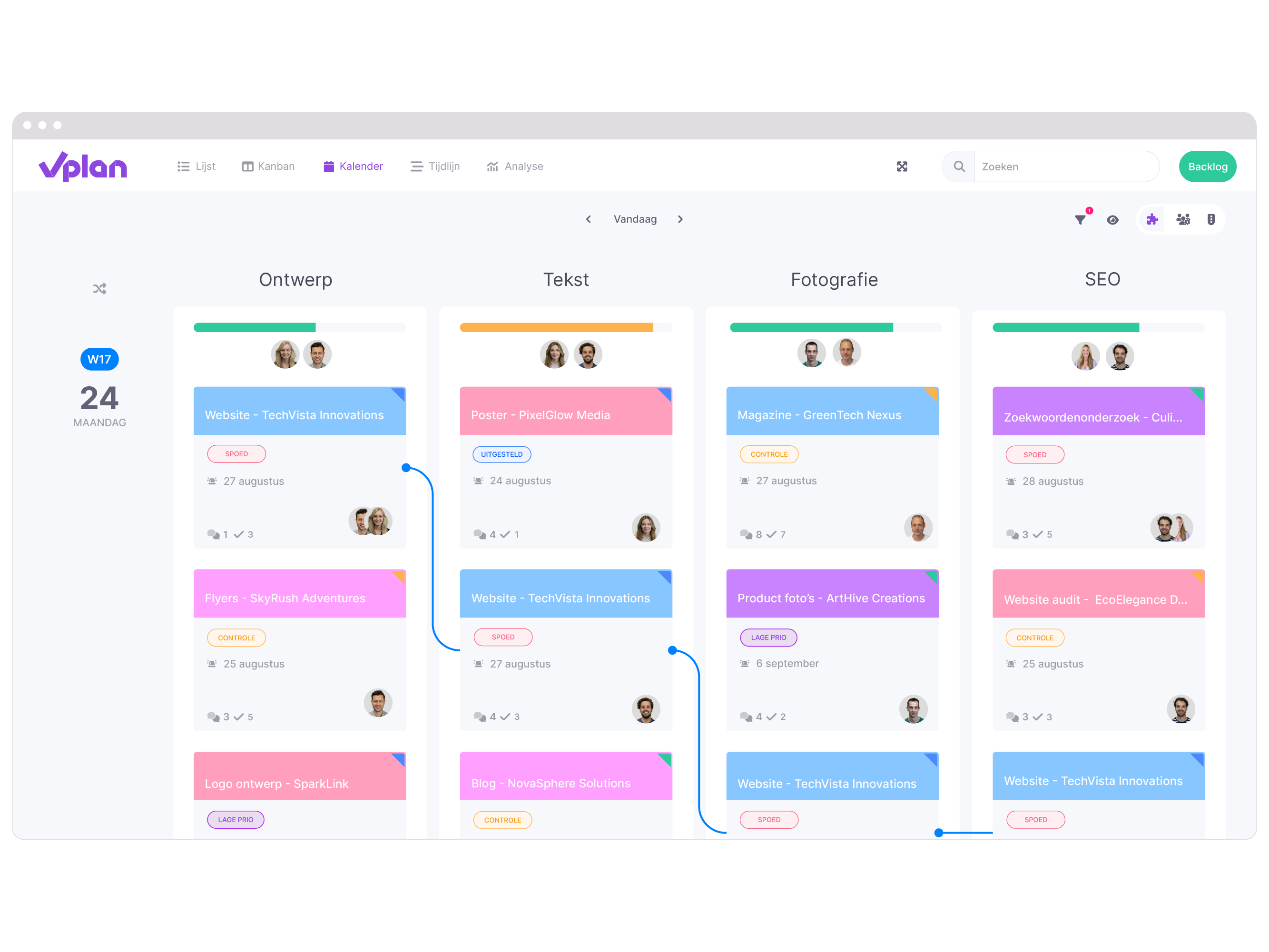
Invest in training and support to help everyone become comfortable working with workflows. Involve employees in improving processes so you maintain strong support and buy-in.
Workflow + Planning: The golden combination
Workflow management focuses on the structure of the process – who does what, and in what order. But for real results, you need to combine it with planning: when things happen.
By linking workflow management to your planning process, you:
- Plan more realistically
- Gain better insight into capacity
- Respond more quickly to changes
A platform like vPlan combines workflows and planning into one user-friendly interface. You see not only the task status but also the deadline and available capacity.
Forward-thinking organizations connect workflow management with forecasting. This enables them to proactively adjust for expected peaks or seasonal demand. The result? Improved capacity planning, better resource management, and higher customer satisfaction.
Conclusion: why workflow management is a must-have
Whether you're in manufacturing, logistics, HR, or finance – workflow management helps you work smarter. By standardizing, automating, and optimizing processes, you increase speed, quality, and control within your organization.
With digital workflow management and a focus on workflow optimization, you're building a scalable and future-ready operation. You save time, reduce errors, and make room for growth. Workflow management is not just an operational tool – it's a strategic advantage.
Try vPlan for free and experience how easy it is to structure and automate your processes.

Work at vPlan
We are looking for new colleagues.


