
We have made a nice improvement in the list and calendar view. By default, we now show a maximum number of cards/lines in a view. You can set how many tickets you want to see. This results in more overview and a lot of performance improvement if you have to deal with a lot of tickets on a weekly basis.
Limit in lists
In the list view, we show the first 50 cards per phase and per selected period by default. You can choose to display all cards yourself. You can clearly see the total number of cards in the overview per phase. Click on the button to load all other cards. The list gives you more overview and you can scroll through the list view faster.
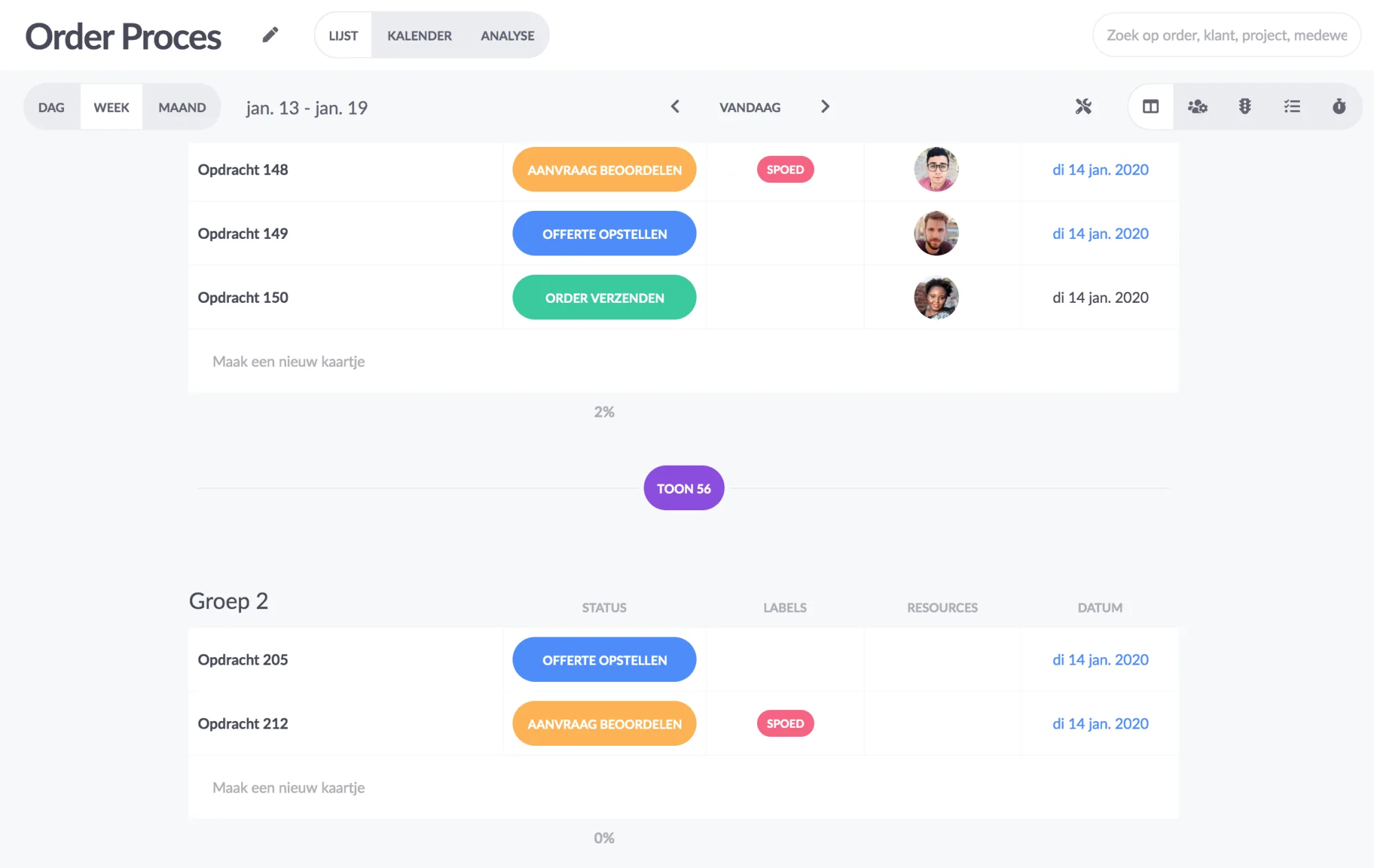
Limit in calendar
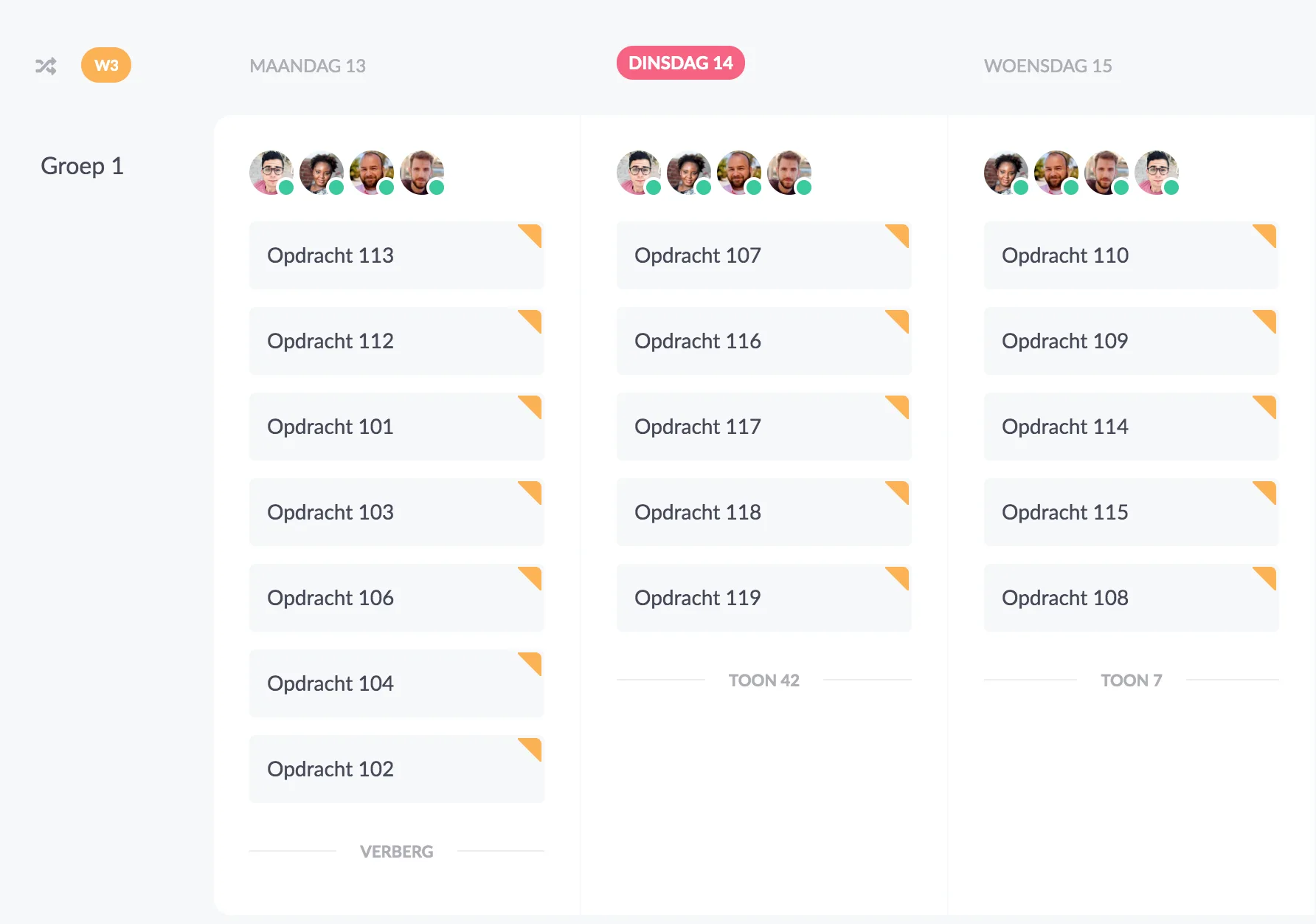
We have also set a limit on the number of cards per phase and day in the calendar. You can easily decide for yourself how many cards you want to show by default, from 1 to 50 cards.
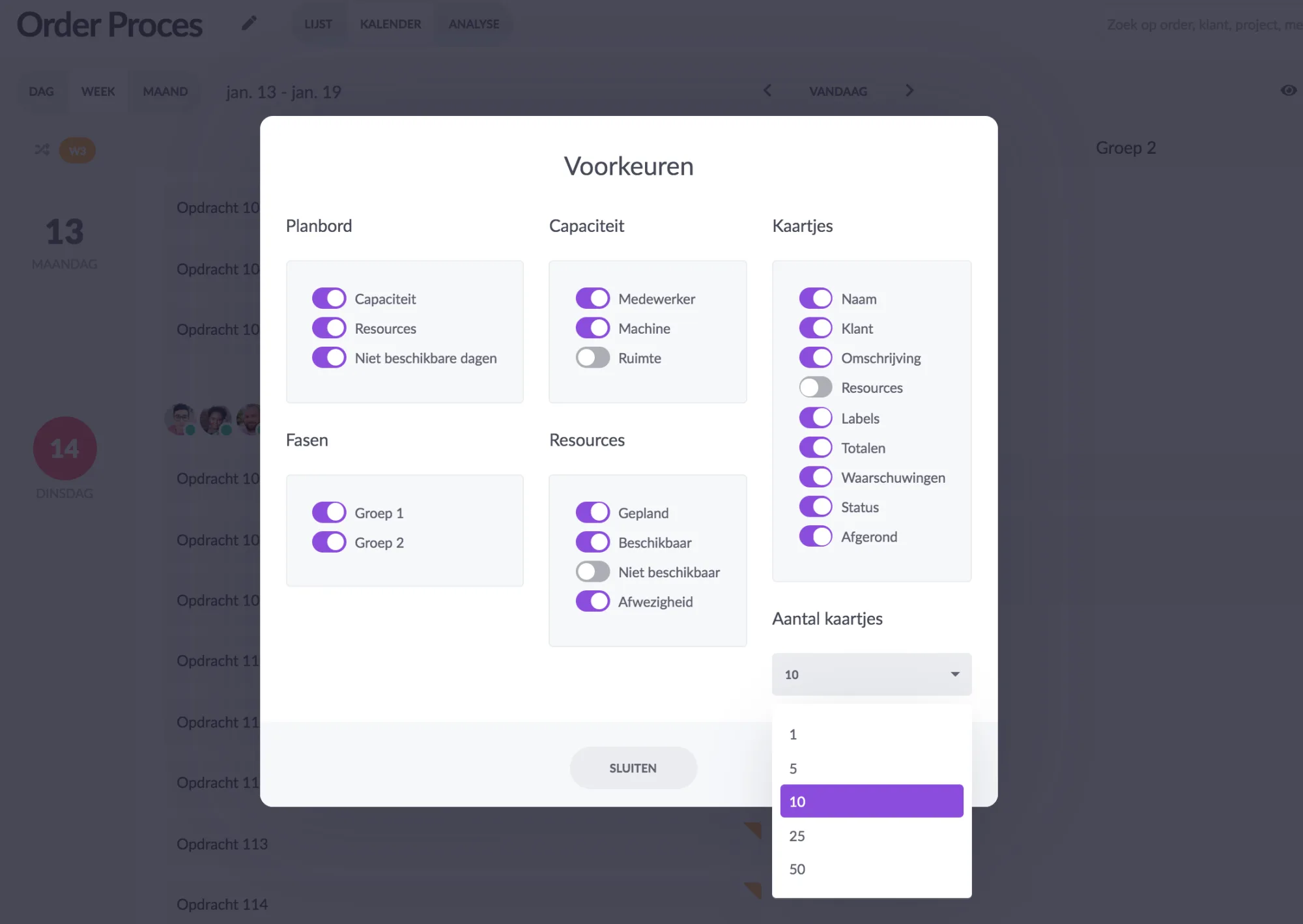
This makes the planning board in the calendar view a lot clearer and quicker. Ideal for companies that have to deal with a lot of cards daily.
Try it in your own vPlan
Every new feature is in the free trial.