


📊 New: open and view your entire collection
Previously, it was not possible to open a collection in the same way as a card, but that has now changed. From now on, every collection has its own overview where all information from the underlying cards is brought together. This gives you a much quicker insight into the status of a project without having to open multiple cards.
You can open a collection just as easily as a card, or via:
- the collection column
- the breadcrumb trail at the top of a card
- the backlog
Where the breadcrumb trail was previously only a reference, you can now navigate directly to the complete overview of the collection. But what exactly can you see within your collection? We’ll take you through it.
📈 Instant insight into progress
At the top of the collection, you’ll find a clear progress bar that lets you see the progress of a collection at a glance. In addition, you’ll gain greater insight into the hours planned within a collection.
At card level, you register hours, but at collection level the focus is on the overall picture. This allows you to see immediately how many budgeted hours are available across the entire collection. For this reason, the term Estimate at card level has been changed to Planned.
For now, only the terminology has been updated, but this lays the foundation for future enhancements where you will be able to distinguish between:
- planned hours
- recorded hours
- hours still to be planned
This gives you increasing control over the progress and resource allocation of your projects.
📎 All attachments in one central location
All documents within a collection are now centrally available as well. In the Attachments tab, you’ll find a complete overview of all files linked to the collection and its underlying cards.
Here you can:
- search for files
- quickly find documents
- add new files to the entire collection
This means you no longer need to open cards one by one to find the right document.
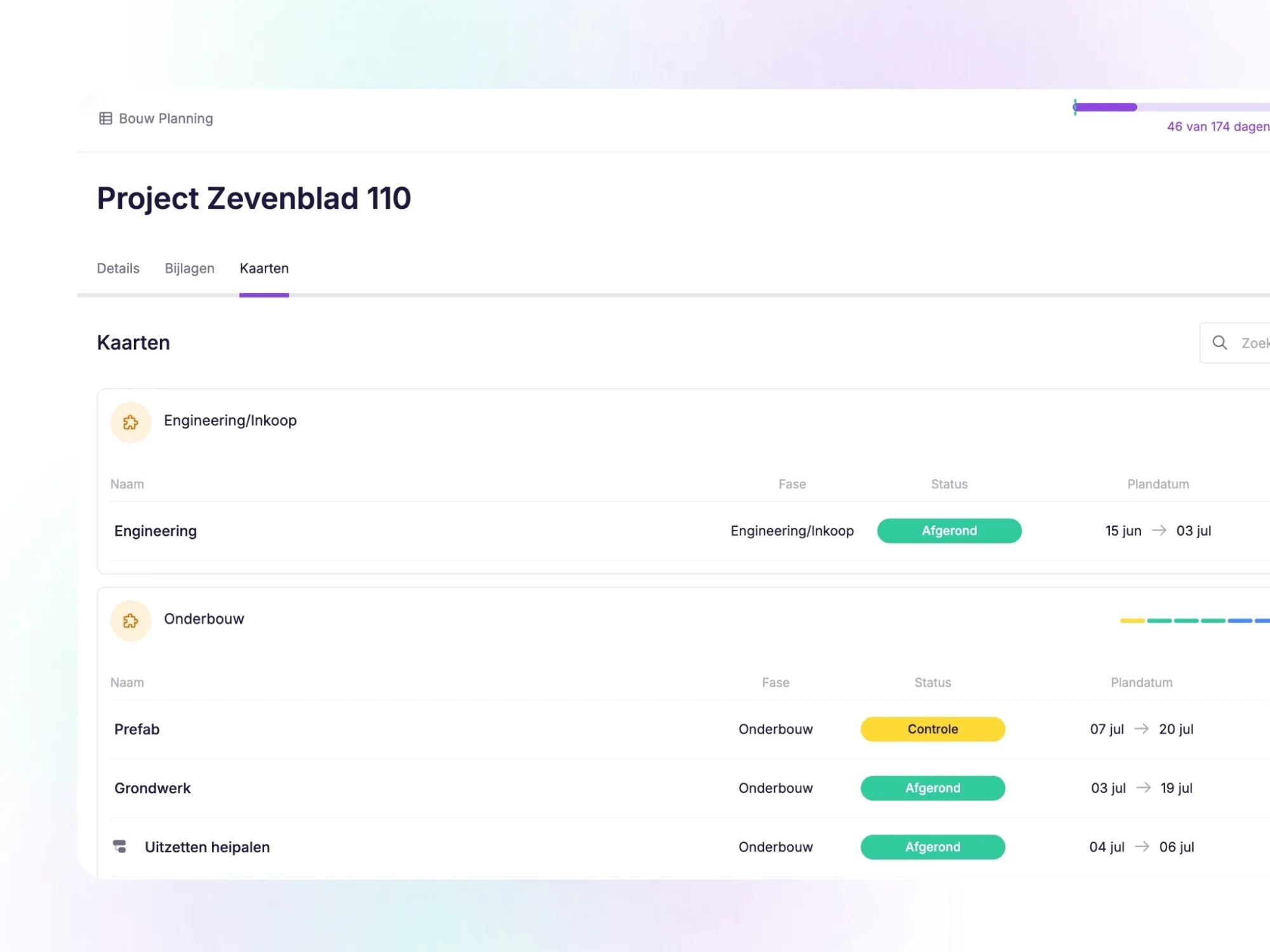
📋 All cards and subcards clearly organised in one place
In the Cards tab of your collection, you can see all cards and subcards that are part of the collection. To quickly create an overview, you can group these by:
- phases
- resources
- statuses
- activities
In addition, you can easily search within the collection and navigate directly to the right card. For larger projects, this means fewer clicks and faster insight.
Thanks to these developments, it is even easier to maintain an overview of larger and more complex projects and to safeguard the quality of your data.
In addition, this development is not only a valuable improvement, but also forms the foundation for future enhancements within vPlan. 🚀
Try it in your own vPlan
Every new feature is in the free trial.



