


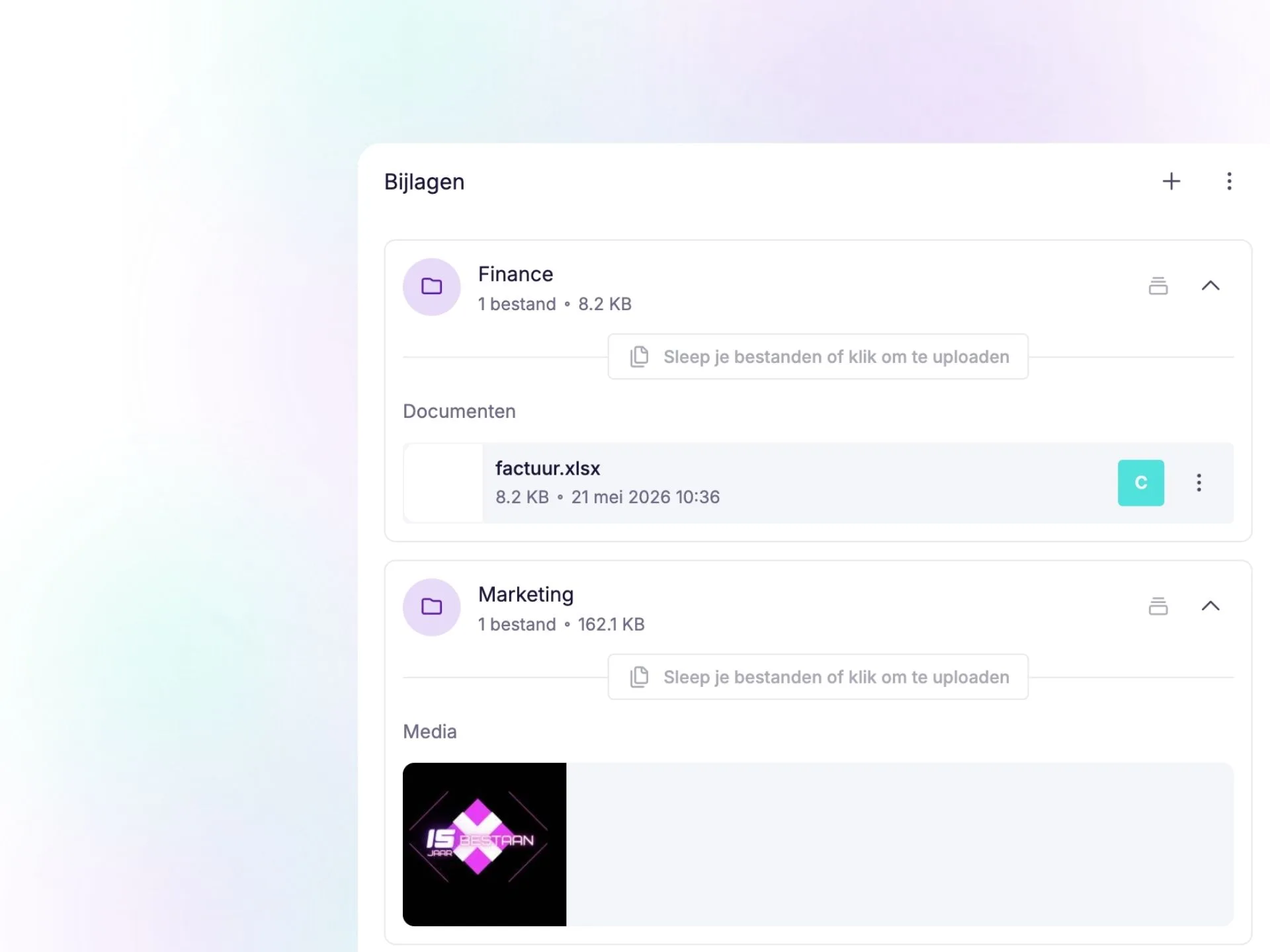
This release is entirely focused on working smarter. From recurring leave requests to a redesigned Trash and better organisation of attachments. We’ve introduced improvements across multiple areas that will have an immediate impact on your day-to-day use of vPlan.
📁 More Structure with Folders for Attachments
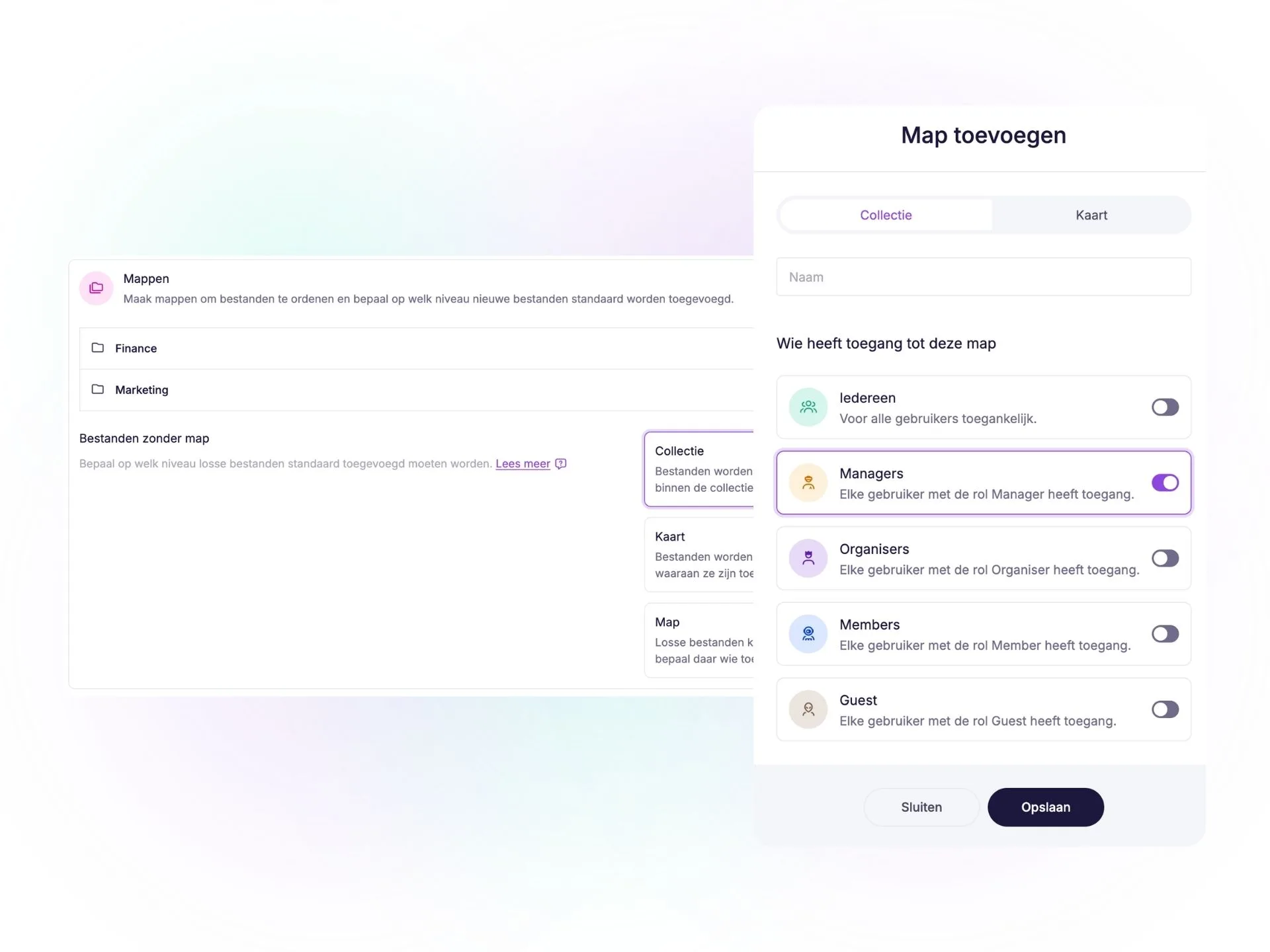
You can now work with folders within your attachments, making it even easier to keep files organised. You decide:
- Which roles have access to a folder
- Whether a folder is only visible to specific users
- Where attachments are stored by default
In addition, you can now add attachments at both the collection and card level. This gives you full control over whether files are visible to the entire collection or only to a specific card.
In addition, folders are now displayed directly on cards, and attachments are automatically separated into:
- Media
- Documents
This makes it easier to find what you're looking for and keeps everything organised and easy to navigate.
Please note: Folders for attachments are available from the Professional plan onwards.
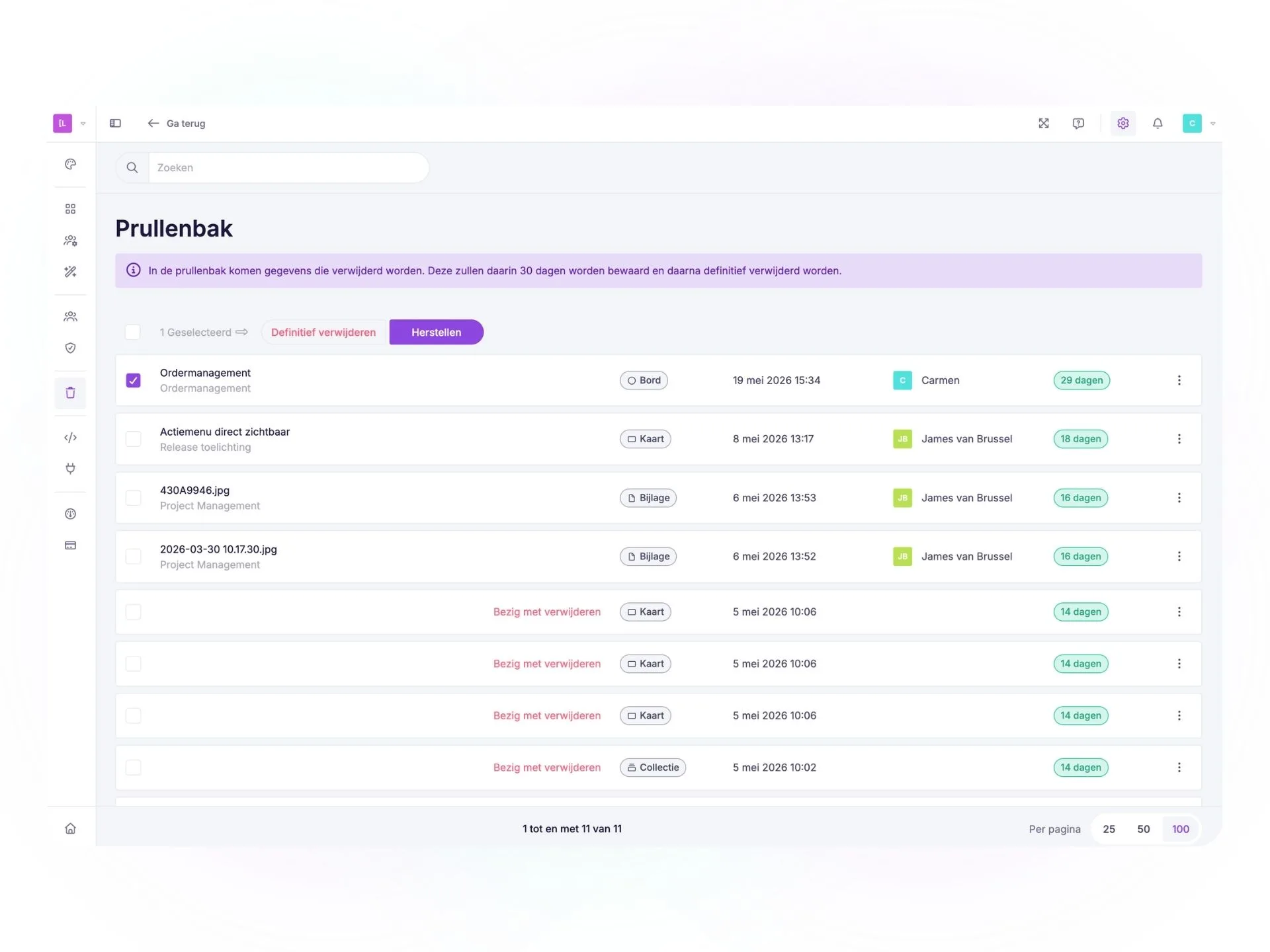
🗑️ New Trash: Restore Items Yourself Within Your Retention Period
Accidentally deleted something? No worries. 😌
You can now easily find and restore deleted items via the new Trash. The following items are stored there:
- Cards
- Collections
- Attachments
- Phases
- Boards
- Resources
- Users
How long items are retained depends on your subscription:
- Essential: 2 days
- Basic: 7 days
- Professional: 14 days
- Enterprise: 30 days
After this period, items are permanently deleted automatically.
🔁 Recurring Leave Requests Are Live
One of the most requested features from the community is now available. 🎉
You can now set up recurring leave requests. Ideal for employees with fixed days off or recurring leave patterns. In addition, the leave request screen has been given a fresh new look, providing greater visibility and an improved user experience.
Thank you for all your votes and feedback. 🙌
⚙️ Practical Improvements
✏️ Edit Activities Directly from the View
Activities are now clickable within the view. You can open and edit them directly from the overview, without any extra steps or screens. A small improvement that makes a big difference to speed and efficiency. ⚡
⚡ Action Menu Now Visible Immediately When Selecting a Single Card
Do you work with individual cards regularly? Then you'll appreciate this improvement. You can now choose to have the action menu appear automatically as soon as you select a single card.
You can easily enable this option in your preferences.
🌑 Non-Available Days Are Clearly Visible Again
Non-available days now appear in a darker colour within the planning. This makes it easier to see when someone is unavailable and helps you maintain a clearer overview of your capacity.
👀 Greater Clarity in the Preview
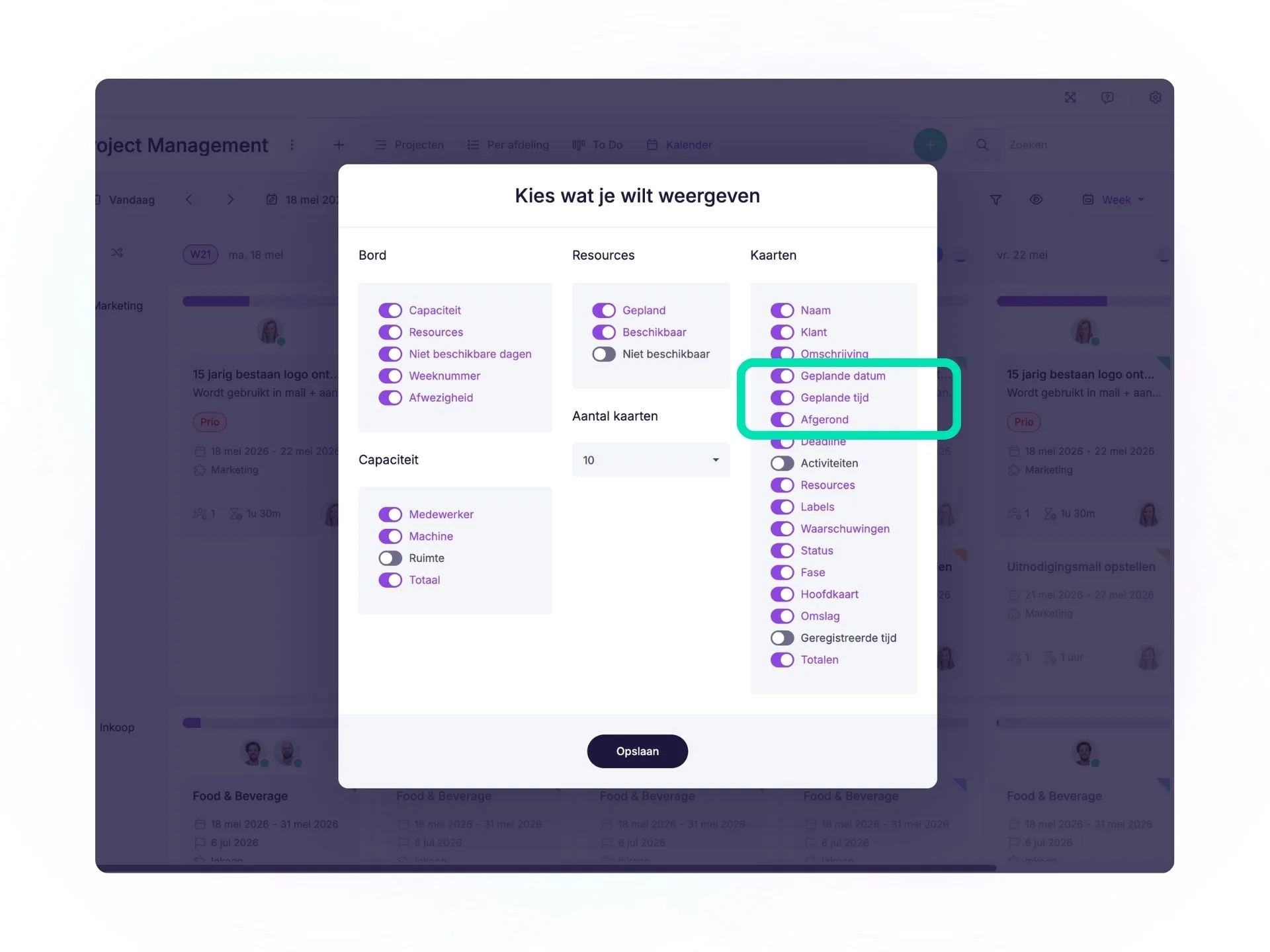
The preview now displays key information separately:
- Planned date
- Planned time
- Completion status
This allows you to see the right information at a glance.
We’ll continue improving vPlan step by step based on your feedback and ideas. Do you have any requests or smart improvements? Be sure to let us know via the community. 🚀
Try it in your own vPlan
Every new feature is in the free trial.



